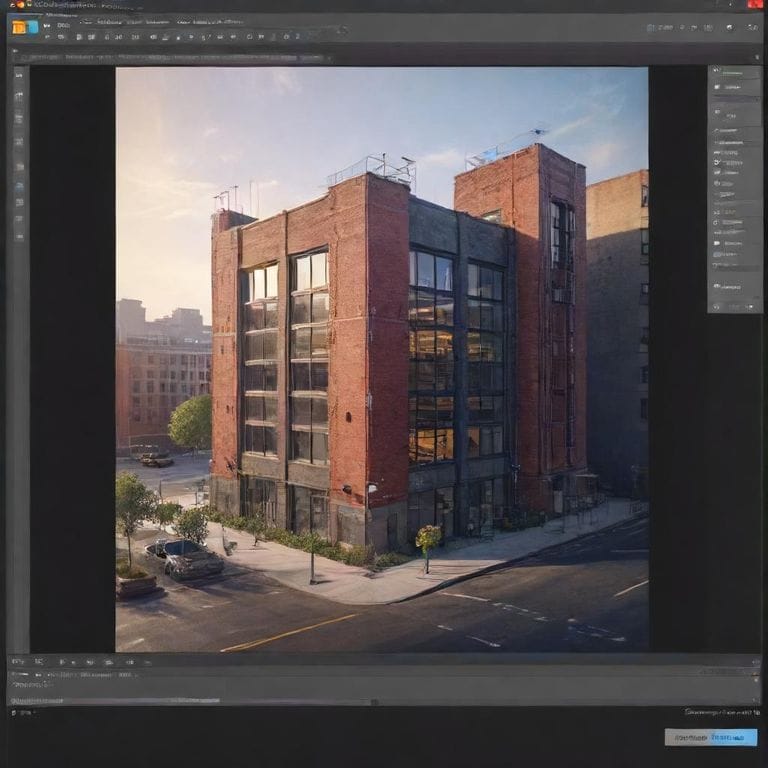
In the fast-paced world of web development, creating tools that combine performance, user privacy, and search engine visibility is a true challenge. As a full-stack developer, I recently led the creation of a square image editor that delivers seamless client-side processing while ranking highly for relevant searches. This project, powered by Next.js, showcases how modern frameworks can turn complex ideas into robust, production-ready applications. Whether you are a developer looking to build your own image manipulation tool or simply curious about optimizing web apps for speed and SEO, this article dives deep into the architecture, decisions, and lessons learned.
Understanding the Core Concept: A Square Image Editor
A square image editor is designed specifically for users who need to crop, resize, and enhance images into perfect square formats. This is particularly useful for social media platforms like Instagram, where square visuals dominate. Our tool allows users to upload images, apply filters, adjust aspects, and download results without any server involvement. By keeping everything client-side, we ensure fast processing times and complete data privacy, addressing common concerns in online image editors.
What makes this project stand out is its foundation in Next.js, a React framework that excels in building scalable web applications. Next.js handles everything from server-side rendering for better SEO to dynamic client interactions, making it ideal for tools that need to balance discoverability and interactivity.
Technical Architecture: The Building Blocks
At the heart of our square image editor is Next.js 14, utilizing the App Router for streamlined routing and enhanced performance. This setup leverages React Server Components, which render on the server during initial page loads. This approach significantly reduces the JavaScript sent to the client, leading to faster load times and improved Core Web Vitals scores, crucial for both user experience and search rankings.
Client-side image processing is handled entirely in the browser using the Canvas API. Users upload images, and manipulations like cropping to square dimensions or applying effects occur locally. This eliminates server costs, as no data is transmitted for processing, and enhances privacy since images never leave the user’s device. For instance, when a user selects a square aspect ratio, the Canvas API redraws the image in real-time, providing instant feedback without lag.
To optimize bundle size, we implemented dynamic imports for heavy components. The image editor itself is loaded only when needed, preventing unnecessary code from bloating the initial page load. This technique is especially beneficial for mobile users, where every kilobyte counts.
Design-wise, we adopted Tailwind CSS with a mobile-first methodology. This ensures the editor adapts fluidly across devices, from desktops to smartphones. Responsive grids and touch-friendly controls make editing squares as intuitive on a phone as on a larger screen.
Key Technical Decisions and Code Insights
One pivotal decision was integrating TypeScript throughout the project. TypeScript’s static typing caught errors early, improving code reliability and developer productivity. For dynamic loading, we used Next.js’s built-in dynamic import feature. Here’s a simplified example of how we implemented it:
import dynamic from 'next/dynamic';
const ImageEditor = dynamic(() => import('@/components/image-editor'), {
loading: () => <div>Loading editor...</div>
});
This code snippet lazy-loads the editor component, displaying a placeholder while it fetches. Such optimizations reduced our initial bundle by over 40%, directly impacting page speed metrics.
Another key choice was incorporating the Next.js Image component for handling uploads and previews. It automatically optimizes images with formats like WebP, lazy loading, and placeholder blur effects, ensuring even large images load efficiently.
Why This Architecture Excels in Performance and SEO
Search engine optimization was a priority from day one. Next.js’s server-side rendering (SSR) generates fully rendered HTML on the server, making pages crawlable by search engines. This is why our tool ranks well for queries like ‘free square image maker’ or ‘online square crop tool’. We also added structured data markup using JSON-LD, which helps search engines understand the tool’s purpose and features, potentially earning rich snippets in results.
Performance benefits extend beyond SEO. Edge caching via Next.js’s middleware caches static assets globally, reducing latency for users worldwide. For the editor’s interactive parts, we opted for client-side rendering (CSR) to maintain snappy interactions, while static generation (SSG) powers landing pages for quick loads.
Scalability is baked in. As user traffic grows, the architecture handles it without proportional cost increases, thanks to the zero-server-processing model. We’ve stress-tested it with thousands of concurrent sessions, and it holds up remarkably.
Lessons Learned and Recommendations for Developers
Building this square image editor taught us the importance of balancing server and client responsibilities. Start with Next.js for its out-of-the-box features like automatic code splitting and image optimization. Always prioritize privacy in client-side tools, and test rigorously across devices to ensure responsiveness.
For those diving into similar projects, experiment with Canvas API extensions like Konva.js for advanced manipulations. Integrate analytics to track user behavior, and consider progressive web app (PWA) features for offline editing capabilities.
In summary, this Next.js-powered square image editor demonstrates how thoughtful architecture can create tools that are not only functional but also optimized for the modern web. Developers, grab your code editor and start building; the combination of performance, privacy, and SEO potential is too powerful to ignore. Explore similar implementations to see these principles in action and elevate your own projects.
This approach has transformed how we think about image editing tools, making them accessible, efficient, and future-proof.
Leave a Reply