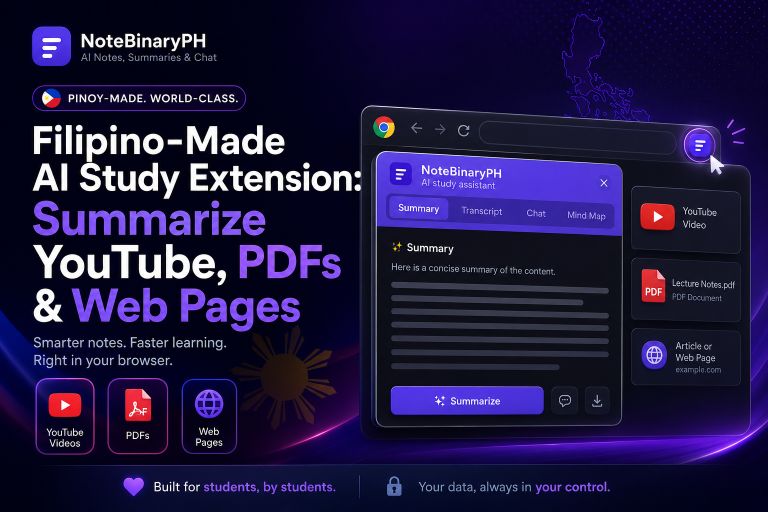
NoteBinaryPH is a Filipino-made AI study and productivity browser extension for Chrome and Brave. It turns YouTube videos, web pages, PDFs, and pasted text into AI summaries, transcripts, mind maps, study guides, and a chat you can ask questions to — all from a Manifest V3 side panel. You get 3 free AI uses per day, free YouTube transcript extraction, and a Bring Your Own Key option that halves the credit cost.
What is NoteBinaryPH?
NoteBinaryPH is a locally built AI note-taker for Filipino students, creators, and professionals. It runs on Chrome and Brave, with results in the browser side panel. The panel has seven tabs: Summary, Transcript, Chat, Mind Map, PDF, Guide, and Settings. Sign in with Google or Facebook, then generate summaries, extract transcripts, build mind maps, create guides, or ask questions in chat.
Free YouTube Transcript & Video Summarizer
NoteBinaryPH has a genuinely free tier for YouTube: transcript extraction uses no AI credits.
How do I summarize a YouTube video?
- Install NoteBinaryPH on Chrome or Brave.
- Open any YouTube video and click the floating NoteBinaryPH button.
- The side panel opens with Summary, plus Transcript, Chat, and Mind Map.
- Read your summary — you get 3 free AI uses per day.
How do I get the full transcript free?
Open the video, click the floating button, and the full transcript appears in the Transcript tab. Extraction spends no AI credits, so you can transcribe a YouTube video to text without touching your daily uses.
Turn PDFs, Web Pages & Notes into Study Material
NoteBinaryPH is not just for video. Load a PDF and use Chat to ask questions about it, or generate a summary. Open any web page and summarize it the same way. Right-click selected text to summarize it, or paste text into the panel. One tool covers lectures, articles, papers, and your own notes.
Mind Maps & Study Guides from Any Source
After processing a YouTube video, web page, or PDF, open the Mind Map tab for a visual map of the ideas, or the Guide tab for a structured study guide. This is where NoteBinaryPH works as an AI reviewer maker — handy for exam prep.
Pricing & Credits (Peso Top-ups via GCash)
Every user gets 3 free AI uses per day, resetting daily, with free YouTube transcripts on top. Paid credits run through PayMongo, which supports GCash and QR Ph, so you pay in pesos without a credit card. Purchased credits stay valid for about one month per top-up, and with the app’s built-in key each AI action costs 2 credits.
Bring Your Own Key (BYOK): Pay Half the Credits
BYOK means Bring Your Own Key. You connect your own AI API key — for example a free Pollinations key or an OpenRouter key — and every AI action then costs 1 credit instead of 2. That’s half the cost, so your top-ups last twice as long: a simple “tipid” move for heavy users.
NoteBinaryPH vs Global AI Note Tools
Most global AI note-takers and video summarizers — such as NoteGPT and similar tools — bill in USD subscriptions and rarely support local payments or your own API key (features as of 27 June 2026, subject to change). NoteBinaryPH instead uses peso top-ups via GCash and QR Ph, gives free YouTube transcripts, and lets you bring your own key to halve the cost.
Who It’s For
Students turn lectures and PDFs into reviewers; creators pull transcripts from videos; professionals digest long articles fast; and lifelong learners chat with any page to understand it.
How to Install & Get Started
- Visit the official NoteBinaryPH page or add it from the Chrome Web Store.
- Sign in with Google or Facebook.
- Open a YouTube video, PDF, or web page and click the floating button.
Ready to study smarter? Add NoteBinaryPH to Chrome or Brave, or learn more at binary.ph/notebinaryph.
Frequently Asked Questions
Is NoteBinaryPH free?
Yes. You get 3 free AI uses per day plus free YouTube transcripts. For more, buy peso top-ups via PayMongo (GCash and QR Ph supported).
How do I get a free YouTube transcript?
Open the video, click the floating button, and the transcript loads in the Transcript tab — no AI credits used.
What is BYOK and how does it save credits?
Bring Your Own Key lets you connect your own AI key (such as a free Pollinations or OpenRouter key). Each AI action then costs 1 credit instead of 2, so top-ups last twice as long.
NoteBinaryPH is an independent product and is not affiliated with, endorsed by, or sponsored by NoteGPT. All product names and brands are the property of their respective owners. Prices and features are as published on 27 June 2026 and may change.
Contact details: https://binary.ph/about
Leave a Reply